

Ready-made program
IT Support and Help Desk
Troubleshoot hardware, software, networks and user accounts. The most common first job in tech, and the place to start if you are new. Built for roles like help desk technician, IT support specialist and desktop support. About 83 hours, at your own pace. Learn ticketing, hardware troubleshooting, desktop support and more, with live career workshops every day, led by recruiters and career coaches: résumés, LinkedIn, interviews and the job search.




6 months of access. Start any day.
What you'll learn and do
What employers are asking for
- Documentation60%
- Onboarding53%
- Hardware50%
- Troubleshooting47%
- Printers37%
- Mac33%
Share of Computer User Support Specialist postings asking for each skill.
Certifications
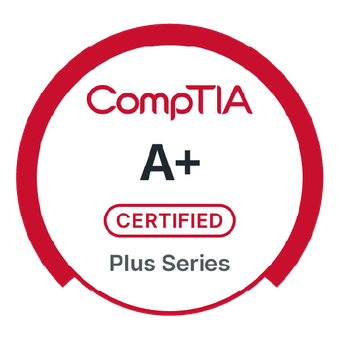 CompTIA A+ (220-1201 and 220-1202)Industry certification from CompTIA · exam prep included
Included at no extra cost: 32 hours of exam prep and a readiness check, 83 hours in all. You book the exam with CompTIA. Exam voucher optional ($500).
CompTIA A+ holders earn $83,798 on average. Source: Skillsoft IT Skills and Salary survey
Tools and software you'll use
- Windows
- macOS
- Linux
- Ubuntu
- Active Directory
- Microsoft 365
- PowerShell
- Microsoft Copilot
- Outlook
- Teams
Skills you'll earn badges in
- Ticketing
- Hardware troubleshooting
- Desktop support
- Networking basics
- User accounts and access
- Microsoft 365 admin
- Security basics
- Customer service
Module by module 43 steps
Get ready
- Module 1 · 2.22 h · CourseIT Help Desk Starter PackTaught by Packt★★★★★4.4 5 learners
- Module 1 · 0.92 h · CourseCustomer Experience: Discover The 6 Proven Techniques To Transform Your Customer ServiceTaught by The Expert Academy★★★★★4.4 88 learners
- Module 1 · 0.5 h · PracticeTicket writingRewrite five vague user tickets into clear ones with steps to reproduce.
- Module 1 · 1.5 h · Build projectTicket practiceWork 10 sample tickets: triage, write the reply, document the fix.
Learn and practice
- Module 2 · 4.42 h · CourseCompTIA A+ Core 1 (220-1201)Taught by ACI Learning★★★★★4.6 8 learners
- Module 2 · 1 h · Practice labCompTIA A+ (220-1201): Configuring a WiFi Network RouterFrom ACI Skill Labs
- Module 3 · 4.43 h · CourseWindows 10 Troubleshooting: AdvancedTaught by Intellezy★★★★★4.3 41 learners
- Module 3 · 2 h · Practice labCompTIA Tech+ Lab: Installing and Configuring the Windows 10 Operating SystemFrom XtremeLabs
- Module 4 · 2 h · CourseLinux for BeginnersTaught by Stone River eLearning
- Module 4 · 1 h · Practice labCompTIA A+ (220-1202): macOS and Linux Desktop Features and UtilitiesFrom ACI Skill Labs
- Module 4 · 1 h · Practice labLinux Server I: Linux Fundamentals: Ubuntu Desktop Linux Installation 12.04From ACI Skill Labs
- Module 4 · 1 h · PracticeMac and Linux ticketsResolve five user tickets on macOS and Ubuntu: printers, permissions, updates, Wi-Fi, disk space.
- Module 5 · 1.58 h · CourseN10-008 CompTIA Net+, Part 3 of 7: Network InfrastructureTaught by LearnNowOnline
- Module 5 · 1.12 h · CourseN10-008 CompTIA Net+, Part 7 of 7: Network TroubleshootingTaught by LearnNowOnline
- Module 5 · 1 h · Practice labCompTIA Network+ (N10-009): Network Troubleshooting Tools and TechniquesFrom ACI Skill Labs
- Module 5 · 1 h · Build projectHome network fixDiagnose and fix three broken network scenarios. Write up each root cause.
- Module 6 · 1.87 h · CourseAzure: Active DirectoryTaught by Intellezy★★★★★4.3 93 learners
- Module 6 · 1 h · Practice labIntroduction to Windows Server 2019 Administration: Manage Active Directory Accounts Part 1From ACI Skill Labs
- Module 6 · 1 h · Practice labIntroduction to Windows Server 2019 Administration: Administer Active Directory Groups and OUsFrom ACI Skill Labs
- Module 6 · 1 h · Practice labIntroduction to Windows Server 2019 Administration: Maintain Active DirectoryFrom ACI Skill Labs
- Module 7 · 1.95 h · CourseMicrosoft 365 Admin Tips and TricksTaught by Bigger Brains
- Module 7 · 1 h · Practice labMS Endpoint Administrator: Create and Configure a Microsoft 365 AccountFrom ACI Skill Labs
- Module 7 · 0.5 h · PracticeMFA rolloutTurn on MFA for a test user and write the user guide for it.
- Module 7 · 1.5 h · Build projectOnboarding runbookWrite the checklist to set up and remove a new hire: account, license, groups, laptop, MFA.
- Module 8 · 0.67 h · CourseAI Security Essentials for End UsersTaught by Stone River eLearning★★★★★4.7 60 learners
- Module 8 · 1 h · Practice labInformation Security Fundamentals (98-367): Using Active Directory in the EnterpriseFrom ACI Skill Labs
- Module 8 · 1 h · Practice labNetworking Fundamentals: Network Security and FirewallsFrom ACI Skill Labs
- Module 8 · 1.5 h · PracticePhishing triageReview 10 reported emails, mark which are phishing, and write the user reply for each.
- Module 9 · 2.12 h · CourseWindows PowerShell Hands-On Training for BeginnersTaught by Packt★★★★★3.9 21 learners
- Module 9 · 1 h · Practice labCompTIA A+ (220-1202): Scripting and AIFrom ACI Skill Labs
- Module 9 · 2 h · Practice labCompTIA Server+ Lab: Automating Windows Server Administration with PowerShell and Batch ScriptsFrom XtremeLabs
- Module 9 · 1 h · Build projectScript one taskWrite a PowerShell script that automates one task you did by hand this program.
- Module 10 · 1.03 h · CourseIntro to Copilot for Microsoft 365Taught by Bigger Brains★★★★★4.8 33 learners
- Module 10 · 0.25 h · CoursePrompt Engineering Fundamentals: Make AI Work for YouTaught by Learnamite★★★★★4.7 66 learners
- Module 10 · 0.52 h · CourseCopilot in Outlook and Teams: Email and Meeting Productivity with Your AI AssistantTaught by Simon Sez IT★★★★★4.6 26 learners
- Module 10 · 1 h · PracticeAI ticket repliesDraft replies to 10 tickets with Copilot, then correct each one before sending.
- Module 10 · 2 h · Build projectKnowledge baseWrite five knowledge base articles with AI help, then check every step yourself.
- Module 11 · 0.53 h · CoursePerfecting The Customer ExperienceTaught by The Jeff Havens Company★★★★★4.6 533 learners
- Module 11 · 1 h · CourseHow Can I Help You? Customer Service Best PracticesTaught by MindEdge★★★★★4.5 164 learners
- Module 11 · 0.65 h · CourseEssential Customer Service & Phone Skills Collection: 08. Six Steps to Service RecoveryTaught by ServiceSkills★★★★★4.5 268 learners
- Module 11 · 1 h · PracticeHard callsPractice three hard calls: an angry executive, a locked-out user, a lost laptop.
- Module 11 · 1.5 h · Build projectMock callsRun three recorded mock support calls and review them with your expert.
Finish and get career-ready
- Module 12 · 6 h · Final projectCapstone projectWork a queue of 25 realistic tickets across hardware, accounts, network and security. Hand in the resolved tickets, your knowledge base and a short incident report.
Questions? Talk to a recruiter
1:1 time with people in this field.
Your program includes daily live workshops. When you want advice on your own situation, book a private session with someone who hires for or works in IT Support and Help Desk roles.




Compare with similar programs
Same field, different jobs. Or see all 18 programs side by side.



Not sure this is the one?
Take a 1-minute quiz and get matched to the right program. Rather talk it through? A live recruiter will help you pick.